Updates

  1. 🎉 New Feature: BGG Forums Integration + Notifications

    New Feature
    BGG Forum

    We’re excited to announce the BGG Forums feature! You can now view your game’s BoardGameGeek forum discussions directly inside Boardssey.

    By adding your game’s BGG link, Boardssey automatically pulls in forum activity and displays it on the game page. No extra setup, no tab-hopping, no lost threads.

    What It Does

    • Automatically syncs BGG forum posts for your games every 6 hours
    • Displays discussions with rich formatting (quotes, images, links)
    • Notifies you when new posts are published (check the bell icon)
    • Lets you search and filter by title and post type (Review, Reply, Session, etc.)

    How to Use

    1. Add a BGG link to any game (e.g., https://boardgamegeek.com/boardgame/357873)
    2. Boardssey automatically creates the RSS feed
    3. New posts sync every 6 hours
    4. Open the new BGG Forums tab on your game page to browse discussions

    Stay connected to the BGG conversation without leaving your workflow.

    Available now for all games with BGG links!

    Add a comment

    2

    Comments

  2. 🎨 New: Sell Sheet Designer

    New Feature

    Because "I'll figure out Canva later" is how games die in your drafts folder.

    Sell Sheet Designer turns your game data into publisher-ready pitch materials automatically. No design skills required, no starting from scratch, no more embarrassing PDFs.

    4

    What it does

    • Auto-populates from your game's existing data (description, player count, hooks, components)
    • Includes multiple professional templates designed for publisher expectations
    • Exports print-ready PDFs with bleed and crop marks
    • Supports multiple sell sheets per game for different audiences
    • Includes the ability to add QRs & barcodes

    How to use

    1. Go to your game's Sell Sheets tab
    2. Choose a template
    3. Click "Start Designing"
    4. Select a game you want to design a sell sheet for
    5. Customize text and images as needed (all the game data and media is under Game Data tab)
    6. Export as PDF, PNG, or save for later

    Look professional to publishers from day one, even if you've never touched design software.

    Sell Sheet Designer is now live in Boardssey! Watch it in action ->

    Available on Pathfinder and Oracle plans

    Add a comment

    3

    Comments

  3. 🔔 New: Pitch Reminders

    Improvement

    Because “I’ll follow up later” is a lie we all tell ourselves.

    Pitch Reminders make sure you never miss the right moment to follow up with someone. Set a reminder on any pitch and Boardssey will nudge you when it’s time. No spreadsheets, no sticky notes, no awkwardly late emails.

    What it does

    • Automatically calculates reminders based on your last interaction

    • Sends both in-app and email notifications

    • Shows a 🔔 bell icon directly on pitches with active reminders

    How to use

    1. Go to a game’s Pitches tab

    2. Click the ••• menu of the chosen pitch row

    3. Choose how many days after your last interaction you want to follow up

    4. Save it and forget about it (we won’t)

    Stay organized, stay consistent, stay on top of your pitches.

    Pitch Reminders are now live in Boardssey!

    Add a comment

    2

    Comments

  4. 🗓️ Google Calendar Integration is now available!

    Improvement

    You can now connect your Google Calendar to Boardssey and see your personal events right alongside project tasks and industry events in the Projects Calendar. Everything in one place, so planning stops being a guessing game.

    What it does

    • Brings your Google Calendar events into the Projects Calendar

    • Shows personal commitments next to tasks and industry dates

    • Helps you plan work around real availability, not optimism

    How to use

    1. Open a project and go to the Calendar tab

    2. Click Manage Calendars

    3. Connect your Google account

    4. Activate the calendars you want to display

    Plan deadlines around reality, spot conflicts before they happen, and keep your projects moving without stepping on your own schedule.

    Add a comment

    3

    Comments

  5. NEW: Game Permissions Now Live!

    New Feature
    Announcement

    Control who sees your games with precision

    You asked, we delivered! Now you can:

    • Bring in freelancers for specific games only
    • Share designs at exactly the right development stage
    • Organize playtest groups without revealing unrelated games
    • Protect sensitive mechanics during development

    How to use it: Go to any game → Click "Permissions" → Select which Collaborators get access.

    Important: If you already have Collaborators, please add them to the games you want them to access.

    Game Permissions - low res

    Add a comment

    3

    Comments

  6. GAME DESIGNERS, DRAW YOUR ATTENTION CARD

    New Feature
    Improvement
    Fix
    Announcement

    Our March update just rolled a critical hit! We've unleashed image upload, 7 powerful new tools and major upgrades to boost your game creation powers:

    ⚡ Turbocharged performance - lightning-fast loading times

    🧩 Collapsible navigation - more workspace for your creativity

    ✏️ Supercharged text editor - format your rulebooks with style

    📸 Multiple image uploads - showcase every angle of your games

    🌐 Personalized portfolio domain - your direct pipeline to publishers

    🔔 Project notifications - never miss a task or comment again

    New tools added to your inventory:

    🖥️ TTS Deck Editor - seamless digital playtesting

    👁️ Color Blindness Simulator - design for all players

    📦 Carton Marks Generator - professional production prep

    💡 Idea Generator - inspiration on demand

    🎭 Theme Matcher - perfect pairings for mechanisms

    🧠 Puzzle Creator - craft brain-teasing challenges

    🎨 Mockups - coming soon to visualize your games!

    This is just the tutorial level - explore the full update and unlock all the details here.

    Roll high and design on!

    Add a comment

    8

    Comments

  7. Introducing Games Portfolios!

    New Feature
    Announcement

    We're thrilled to announce our newest feature that lets you showcase your games to the world! Every Boardssey plan now includes a professional portfolio page where you can:

    ✨ Display your games with dedicated URLs

    🎲 Showcase all your game details, updated in real-time via the Game Center

    📧 Add contact information

    🔗 Share it anywhere, anytime, and show the world what you've created

    Your games deserve the spotlight. Create your portfolio today!

    Add a comment

    6

    Comments

  8. Track Your Game’s Journey with Boardssey

    Improvement

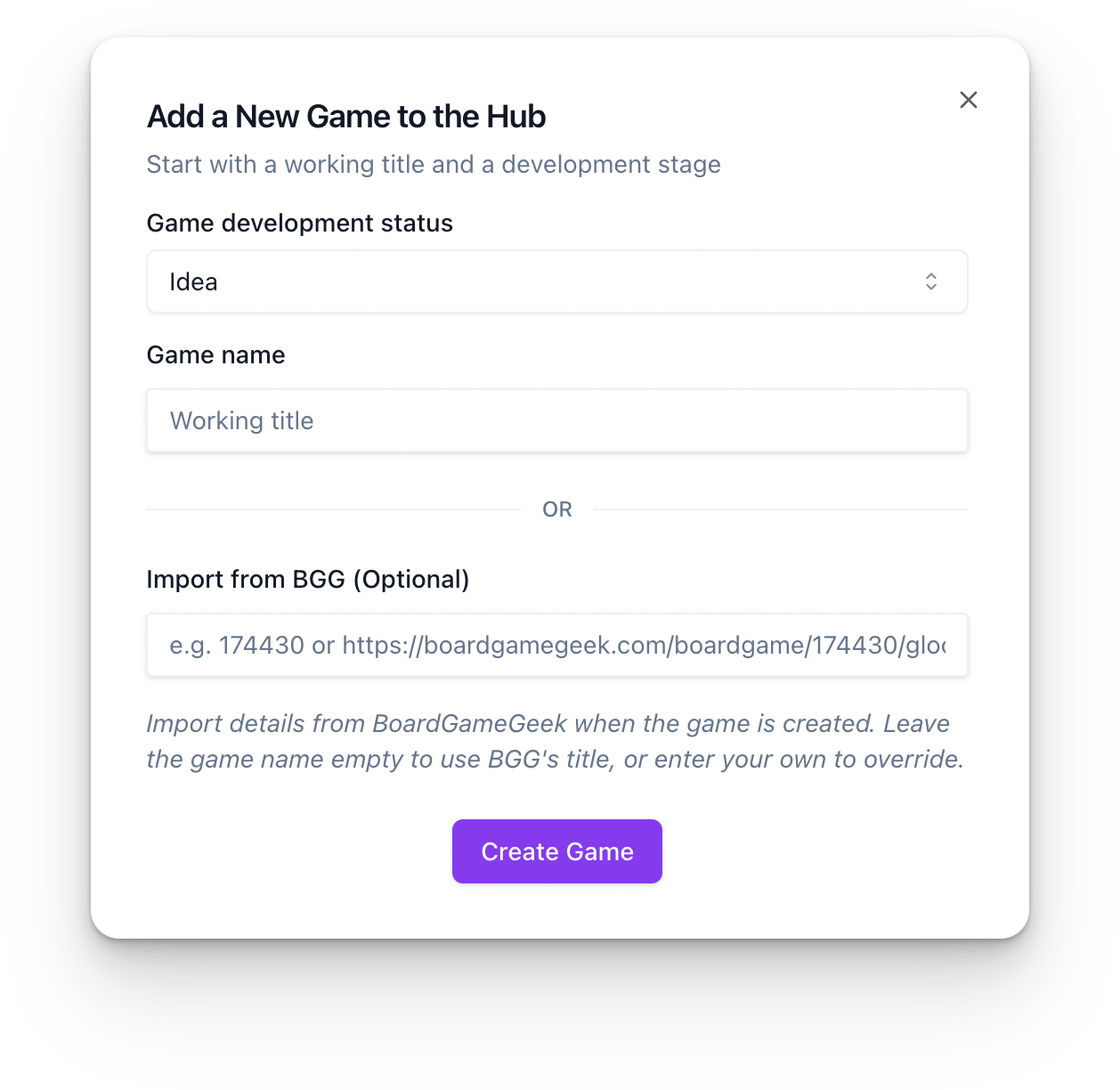
    We’re excited to introduce the updated Game Status Tracking on Boardssey! From your first idea to being licensed and ready for the world, you can now clearly define and update your game’s status as you progress.

    Keep your team, playtesters, and collaborators in the loop while staying organized every step of the way. Whether you’re gearing up for crowdfunding or polishing the final version, Boardssey has you covered!

    Start tracking your progress today.

    image

    Statuses Available:

    Idea -> Designing -> Playtesting -> Developed -> Ready to Pitch -> Looking for Publisher -> Quoting -> Crowdfunding -> Pre-Production -> Manufacturing -> Licensed

    Add a comment

    2

    Comments

  9. Your Projects now Have Custom Access Levels

    New Feature

    We’ve made collaboration even smoother! Now you can set custom access levels for your projects:

    🔒 Admin-Only for core team tasks

    👥 Member-Only for your full team

    🤝 Collaborator Access for freelancers or temporary partners

    Project access levels

    With these new settings, you stay in control, ensuring everyone has the right access at the right time. Ready to give it a try?

    Head to your Project Dashboard now and start collaborating like a pro!

    Add a comment

    Comments

  10. 📊 Your Game Dev Crystal Ball is Here: The Upgraded Project Dashboard!

    Improvement

    Say hello to your Project Dashboard, where organization meets wizard-level efficiency. Think of it as your personal mission control for game design—minus the countdown and space suits.

    Boardssey-2024-11-19-06.33.01

    What’s New?

    • Overview of All Projects: Peek into every game you’re working on without breaking a sweat.
    • Status At-A-Glance: Instantly see what’s complete, incomplete, or overdue—because deadlines are sneaky like that.
    • Stay Ahead of the Game: Prioritize tasks, hit those milestones, and keep your projects on track (goodbye, chaos!).

    🎁 Bonus Feature Alert!

    Introducing Subtasks! Break down big, intimidating tasks into bite-sized steps that are easy to manage. Whether it’s drafting rules, finalizing art, or debating whether you need another expansion, you’re covered.

    Now you can spend less time hunting for lost tasks and more time perfecting that game-changing mechanic. Your backlog? Handled. Overdue tasks? Conquered. Board game dreams? Getting realer by the second.

    Hop into your dashboard now! Get ready to turn “overwhelmed” into “organized” faster than you can say meeple.

    Add a comment

    Comments