
🎨 New: Sell Sheet Designer
New Feature
Because "I'll figure out Canva later" is how games die in your drafts folder.
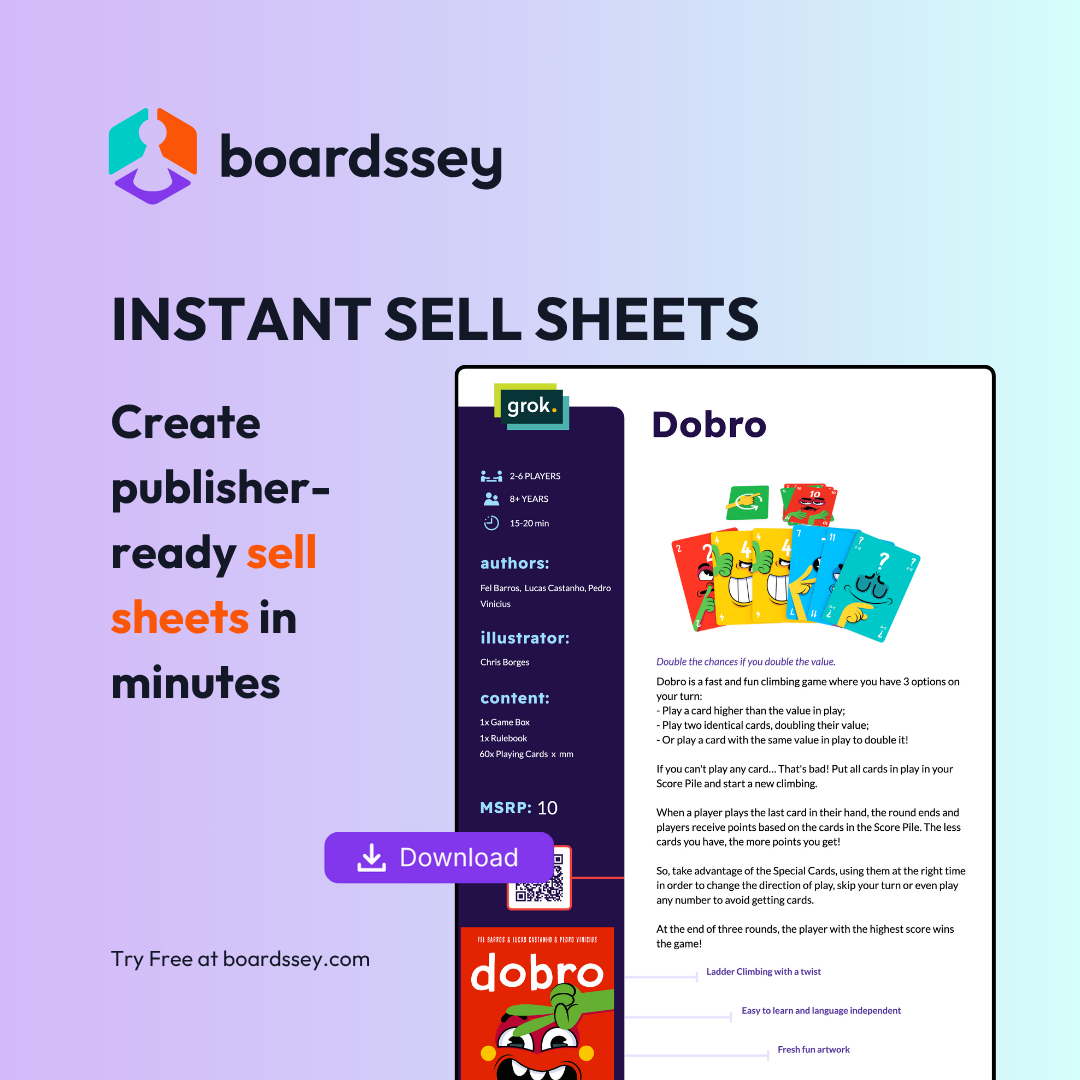
Sell Sheet Designer turns your game data into publisher-ready pitch materials automatically. No design skills required, no starting from scratch, no more embarrassing PDFs.
What it does
- Auto-populates from your game's existing data (description, player count, hooks, components)
- Includes multiple professional templates designed for publisher expectations
- Exports print-ready PDFs with bleed and crop marks
- Supports multiple sell sheets per game for different audiences
- Includes the ability to add QRs & barcodes
How to use
- Go to your game's Sell Sheets tab
- Choose a template
- Click "Start Designing"
- Select a game you want to design a sell sheet for
- Customize text and images as needed (all the game data and media is under Game Data tab)
- Export as PDF, PNG, or save for later
Look professional to publishers from day one, even if you've never touched design software.
Sell Sheet Designer is now live in Boardssey! Watch it in action ->
Available on Pathfinder and Oracle plans